Bookbu features

Everything it does for you, feature by feature.

Your websiteSee your website

Your own booking website

Your complete booking website, with your domain and your brand. Customers pick a date, book and pay without leaving it.

  • On your own domain
  • Your website and listings, in up to 40 languages
  • Your spots, live: you never sell one twice

Booking button for your website

Already have a website? Paste in a button and your customers book right there, with your prices and live availability.

  • No need to change website
  • In several languages
  • They book and pay on the spot

Blog on your website

You publish articles on your website so people find you on Google, and each article can carry your activities with up-to-date prices.

  • AI draft and translation
  • Schedule publication
  • Import your WordPress blog
  • Preview before publishing

Your website, ready for Google

Your website shows up well on Google without you touching anything.

  • Sitemap with every language
  • Structured data for every activity
  • Image when shared on social media
  • “How it looks on Google” on every listing

Website statistics, no cookies

You see where your visitors come from and how many end up booking, with no cookies and no banners.

  • Who is on your website right now
  • Funnel from visit to booking
  • Source of every visit, including from ChatGPT
  • WhatsApp clicks and CSV export

Search by day on your website

Your visitor picks a day and sees which activities have space.

  • By day and by category
  • Only departures with spots left
  • Book from the result

Thank-you page that sells again

After paying, your customer sees a page of yours, with a coupon to come back and other activities.

  • Coupon for the next booking
  • Recommended activities
  • Share button

Your reviews, on your website

You show your reviews on your website and ask for new ones on Google or another site.

  • Several formats to choose from
  • Ask for a review on Google or another site
  • Updates itself

SellSee how to sell more

Agencies and resellers

Your agencies, hotels and guides see your spots live and book on their own, without calling you.

  • Add as many as you like
  • Each one with their own commission and spots
  • At the end of the month, the settlement is done
See agencies and resellers

Portals and integrations

Your calendars and sales channels, connected to your spots.

  • Calendars connected via iCal
  • OCTO compatible
  • GetYourGuide and Viator, coming soon
See integrations

Vouchers and gift cards

You sell or give away vouchers with a balance, and your customer spends it on their bookings.

  • The balance is spent on bookings
  • Your customer receives it by email
  • Discount codes for your promotions

Dynamic pricing and promotions

The price changes by itself depending on occupancy, season, day or how far ahead people book.

  • Offers on the quietest departures
  • Different prices per channel
  • Special price for one specific departure

Extras

You sell more on every booking: food on board, photos, transfers or equipment. Your customer adds them when booking or afterwards.

  • Required or optional
  • Charged when booking or paid on the spot
  • Your customer buys them after booking

Waiting list

You fill the full departures: a spot that frees up goes to the first in the queue.

  • They sign up when the departure is full
  • Offered in order
  • Payment link that holds the spots

Quotas per channel

You set spots aside for agencies and portals without losing direct sales.

  • Maximum spots for all agencies together
  • Maximum spots per agency
  • Spots reserved for one agency
  • Your direct sales are not limited

Advertising measurement

You know which ad brings in each booking, with the consent of your customer.

  • Google Analytics and Tag Manager
  • Google Ads, Meta, TikTok, Bing and Pinterest
  • Purchases sent from the server
  • With customer consent

Unfinished bookings

We email anyone who did not finish paying so they can complete their booking.

  • Automatic email with their link
  • On by default
  • Without you doing anything

Your activitiesSee your operations

Over 100 activity types

You choose your type of activity and start from its template. If yours is not there, you create it.

  • Boats, diving, tours, adventure, tastings and more
  • Grouped by category
  • Your own type if it is not there

Calendar and departures

All your departures and their free spots, at a glance.

  • By day, week and month
  • Several departures a day, with their times
  • Seasons that repeat every year
  • Special days and closed days

Private and per-machine departures

You sell the whole departure to one group, or per machine: quads, buggies, jet skis.

  • Private departure for one booking
  • Spots per machine, not per person
  • Minimum and maximum per booking

Minimum people to run

You set the minimum for each departure and we warn you if it is not reached, so you can decide in time.

  • Minimum per activity
  • Alert to your team
  • You decide whether it runs or changes

Boats, vehicles and crew

You assign a boat, vehicle and crew to each departure, and they are never in two places at once.

  • Boat seats set the capacity
  • Skipper, guide or instructor on every departure
  • One instructor for every set number of people

Several bases or harbours

If you depart from several harbours or offices, each boat, person and activity has its own base.

  • “Departs from” on every activity
  • Boats and people per base
  • Filters by base in the calendar

Questions for each participant

You know the size, the qualification or whether they can swim before they arrive.

  • Required or not
  • By activity, ticket type, day or time
  • Also for your team only

Booking tags

You mark bookings however you like, VIP or school group, and filter by them.

  • Your own tags
  • Several per booking
  • Filter in the bookings list

Departure daySee departure day

Home screen with what is due today

When you log in you see today: what to collect, which departures are quiet and what needs attention.

  • Payments due today
  • Departures with few spots sold
  • What needs your attention

QR check-in

Your customers arrive and show their QR code. Your team scans it with a phone and knows who is missing.

  • From your team phones
  • Works offline too, if you prepare it the day before
  • Manifest ready to print

Pickups by hotel and time

Each hotel, with its time and who gets on. Your team opens their list and goes.

  • Pickup by hotel and time
  • Routes with vehicle and driver
  • The list, on your team phones

Contracts and signatures

Your customer signs on their phone, with a finger. The document carries your logo and your terms.

  • Waivers on the phone, on a tablet or with a QR code
  • Minors sign through their guardian
  • Once signed, it can no longer change

Your team on their phones

Everyone on your team opens their day on their phone and knows what they have to do.

  • “My day”, with their departures and pickups
  • Check-in from the phone
  • Shifts, on-call duty and absences

Checklists

Your team goes over the boat or vehicle before leaving and on return, with your checklist.

  • Your own items per boat or vehicle
  • Required or optional
  • It records who checked and when

Bad weather and departure changes

If you do not go out, you offer other dates or refund the money without calling each person.

  • Up to three new dates
  • Each customer chooses a date or a refund
  • Change the time and tell everyone
  • Cancel or move the whole departure

Customers change or cancel on their own

Your customer changes the date or cancels from their link, and you save on calls.

  • Cancel from their link
  • Move to another departure with space
  • Pay the difference if it costs more
  • Manual or automatic refund, within your deadline

Get paidSee payments and invoices

Payments into your account

Your customers pay you: the money goes straight into your account.

  • Stripe, Redsys and PayPal, in your account
  • Bizum with your card terminal
  • Cash, card terminal or bank transfer at the counter
  • Cash desk with end-of-day close

Deposits and payment links

You take a deposit when booking and the rest later.

  • The rest on the day or by card beforehand
  • Notice before the rest is charged
  • Payment links to send

Instalments and automatic collection of the balance

Whoever books early pays a small deposit and the rest in instalments; the balance is charged automatically before the activity.

  • Deposit depending on how far ahead
  • Up to 4 instalments
  • The balance is charged automatically, with the saved card
  • If it fails, they get a payment link

Booking fees for the customer

If you want, the customer pays a booking fee, as a percentage or a fixed amount.

  • Per activity
  • Separate line on the invoice
  • Also in the API, and zero if you prefer

Taxes for each region

VAT, the tax of your region or one of your own, with their invoice series.

  • Included in or added to the price
  • Fixed charges separately
  • Your own invoice series

Invoices and ledger for your accountant

You issue the invoice from the booking and pass the invoice ledger to your accountant.

  • Simplified and full invoices
  • Also from box-office sales
  • Invoice ledger for Excel
  • Credit notes point to the original

Cash desk and end-of-day close

You close the cash desk for the day and see whether it balances.

  • Open and close the cash desk
  • Blind cash count
  • Z report
  • Cash, card terminal or bank transfer

Reports

You know how much you sell, what it costs you and what you keep.

  • Sales, occupancy and commissions
  • CSV export
  • A report in your inbox, at regular intervals

Customers and growthSee customers and reviews

Customers and reviews

You write to them before and after the activity, with your brand and without doing it by hand.

  • Reminder before the activity
  • Review request, a few hours later
  • Emails with your brand

Customer records

Each customer with their history, and segments to find who you are looking for.

  • Timeline of bookings and messages
  • Saved segments
  • Merge duplicate records
  • Tags

Enquiry tracking

Each group or quote enquiry has an owner and a next action.

  • From enquiry to won or lost
  • Quote with its amount
  • Booking linked on closing

Blocked customers and “no-shows”

You see who comes back and who did not show up, and block anyone who causes problems.

  • Block with a reason
  • “No-show” flag on the booking
  • Returning customer at a glance

Your Google and Tripadvisor reviews

All your reviews in one place, with a draft reply ready.

  • Google, Tripadvisor and Trustpilot
  • AI draft replies
  • Alert when a new one arrives

AI assistant

You ask, and you only confirm. And it answers your customers on your website, in their language.

  • It warns you about a quiet departure and has the offer ready
  • Replies to your reviews, in your tone
  • Nothing changes until you confirm
See the AI assistant

Up to 40 languages

Your website and listings, in the language of each customer.

  • Website and listings in up to 40 languages
  • Emails included in Spanish, English and German
  • Translate with one click

White label

Everything goes out with only your brand.

  • Without our brand on your website or in your emails
  • Switched on from your account
  • Optional add-on

Communicate and automateSee WhatsApp and chat

Automations

The software alerts you and acts on its own when something happens, without you having to remember.

  • Your rules: when this happens, send that
  • Alerts to your team
  • Reminder before the activity

Emails with your brand

Every email goes out with your name and your design, without you writing them.

  • Confirmation, change and cancellation
  • Design and texts you edit
  • Ticket with QR code and receipt
  • From your own email address, if you switch it on

WhatsApp with your number

You talk to your customers from your own WhatsApp, with your whole team in one inbox. And the AI answers them for you, with their bookings in front of it.

  • Your WhatsApp number
  • Inbox for the whole team
  • AI support, in sync with their bookings
  • Works alongside WhatsApp Business on your phone
  • Booking and change notifications

Website chat and message inbox

Your website chat, WhatsApp and email, in a single inbox for your whole team.

  • Proposals with real prices from the chat
  • Snooze and mention a colleague
  • Your website contact form, here too

Connect

API and OCTO

You connect your software or any portal to your real availability.

  • OCTO compatible
  • API key instantly
  • Bookings, payments, customers, invoices and reports
  • Works with any OCTO portal

Alerts to your software

Your software finds out instantly about every booking, payment or cancellation, through notifications (webhooks).

  • Signed notifications
  • Retries and a log of every delivery
  • No prior approval

Zapier and Make

You connect Bookbu to your other tools through notifications (webhooks), with a step-by-step guide.

  • Every booking, payment or cancellation triggers whatever you like
  • Guide for Zapier and Make
  • No coding

Connected calendars

What is rented on another website blocks the day here, and the other way round.

  • Read calendars from other websites
  • Publish your calendar with a link
  • If there is a clash, it warns you and cancels nothing

Holded connectionComing soon

Every invoice is copied to Holded, for your accountant.

  • Mapping of taxes and payment methods
  • Retry if something fails
  • Nothing to retype

We help you switch

You send us what your software or spreadsheet exports, and we load your activities, customers and future bookings for you.

  • Our team does it
  • Future bookings, with their balances
  • You review it before the switch

Team and security

Roles and permissions

Everyone sees and does only their own things.

  • Templates per role
  • Permissions one by one
  • Limit to certain activities
  • “View as” to check it

Two-step verification and passkeys

Your account and those of your team, protected.

  • Code or passkey on login
  • You can require it for the whole team
  • Sensitive changes ask for confirmation

History: who changed what

Every change is recorded, with who made it and when.

  • Changes, messages and security
  • Delivery status of every email
  • See who is looking at the same booking
  • CSV export

Your dashboard in 12 languages

Everyone on your team works in their own language.

  • Spanish, English, German, French, Italian and more
  • Each person chooses theirs
  • Changed in one click

Data protection (GDPR)

Your customer data, in order: you download it, you delete it and your website carries its legal texts.

  • Download or delete the data of a customer
  • Legal texts and cookie notice on your website
  • Deletion with anonymisation

Take your data whenever you want

If you ever leave, you take everything: bookings, customers, photos and invoices.

  • One encrypted file with everything
  • You download it yourself
  • Without asking anyone for permission

Car rentalSee car rental

Inspection, insurance and servicing

You never rent out a car with an expired inspection or insurance.

  • Inspection, insurance, road tax and permit, each with its own date
  • Warns you in advance
  • Blocks new bookings
  • Next service by date or by kilometres

Handover and return on the phone

You hand over and receive the vehicle without paper, from your team phones.

  • Guided handover, step by step
  • Kilometres and fuel recorded
  • Damage marked on the vehicle diagram
  • Charges suggested on return

Deposit on the card

You hold the deposit on the card without charging it and, when the car comes back, you release it or charge what is needed.

  • Held when the car is handed over
  • Renewed on long rentals
  • Cash deposit or no deposit
  • On closing, a settlement PDF

Protection and terms

Your customer sees clearly what each protection level covers and which terms they accept.

  • Your levels: Basic, Plus and Full
  • Deposit and excess in plain view
  • Compare protection levels
  • Rental terms in a table

Drivers and surcharges

You set your driver rules and charge the right surcharge.

  • Minimum and maximum age
  • Years held and licence category
  • Surcharge for young drivers, senior drivers or recent licences
  • Additional driver as an extra

Fines, tolls and claims

You charge the fine to the driver who was at the wheel.

  • Find the rental by plate and date
  • Confirm who was driving
  • Added to the booking balance
  • One-off charges with their tax

Profitability per vehicle

You know which vehicle makes you money and which does not.

  • Income, costs and margin
  • Break-even point
  • Kilometre and fuel history
  • Warns you if the kilometres go down

Online driver check-in

Your customer uploads their documents and signs the contract from their phone, before arriving. At the counter all that is left is handing over the car.

  • ID, licence and selfie from their phone
  • Signs the contract with a finger
  • You invite them from the rental record
  • Your team keeps the inspection and handover

Long-term rental

Rentals of several months, with monthly payments and extensions.

  • Monthly billing
  • Extensions without redoing the contract
  • The deposit is renewed

What is available?

They call and you answer straight away: which groups are free on those dates and at what price.

  • Free groups with their real price
  • For the dates they ask for
  • Book from there

TicketingSee ticketing

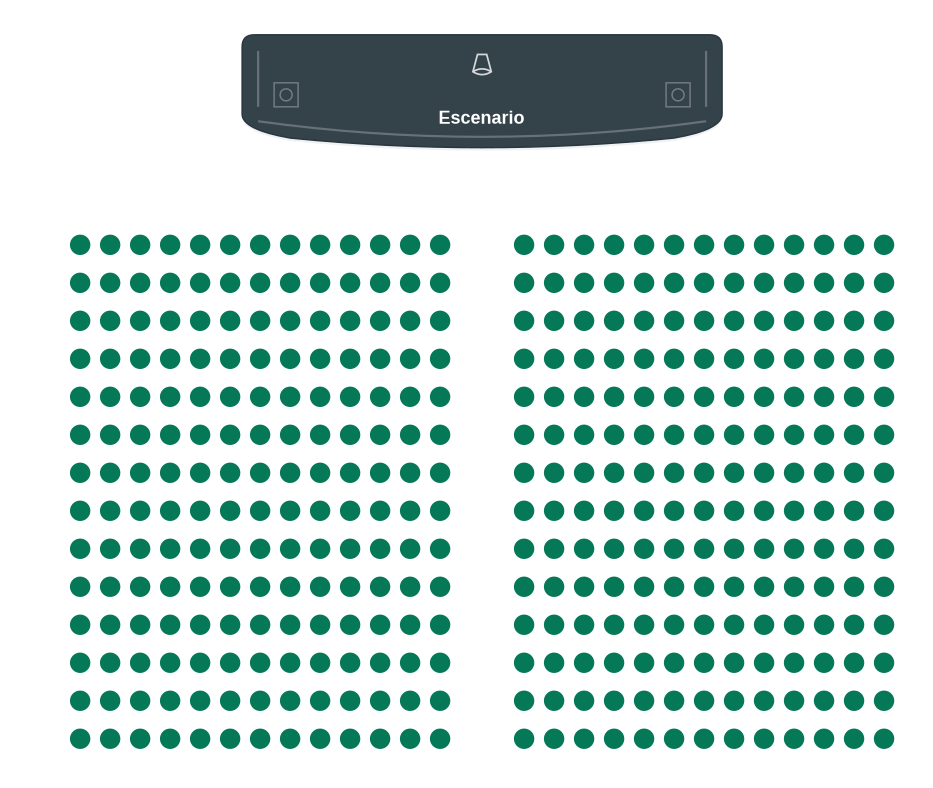
Venue floor plan editor

You draw your venue without starting from scratch, from a template you edit piece by piece.

  • Editable templates
  • Whole tables and reserved areas
  • Price zones and sections
  • Buyer view

Numbered seats

Your buyer chooses their seat on the plan and you never sell the same one twice.

  • Plan with zoom and sections
  • Seats together
  • Seats held with a countdown
  • No double selling

Ticket types with rules

Adult, child or member: each ticket type with its own conditions.

  • Minimum and maximum age
  • Only with an adult
  • No seat, for babies in arms
  • Hidden types, with a code

Box office

You sell at the counter with the same plan as your website.

  • Cash, card terminal, voucher or payment link
  • Print tickets as PDF
  • Block seats for a date
  • See who has each seat

Promoters and commissions

You give each promoter a sales link and know how much they sell and how much they earn.

  • Personal sales link
  • Commission per sale
  • Monthly report
  • Sales by source: poster with QR code, Instagram

Invitations and accreditations

You give tickets with a name and QR code to press, artists and crew, at no charge.

  • One ticket with name and QR code per person
  • They count towards capacity and arrive by email
  • All or nothing, no duplicates

Event page

Each event has its own page, with its plan, its tickets and its buy button.

  • Photos, text and schedule
  • Direct purchase
  • To share on social media

Sell tickets through your resellers

Your resellers can sell the tickets and tables you offer them from their own booking system.

  • Zones and ticket types
  • Whole tables
  • Same capacity as your website

Start selling more with Bookbu

Tell us what you sell and we'll help you get started.

No card neededNo lock-in